
Free and Premium Kick Overlays
Creating your own stream overlays for Kick can be frustrating. Choosing colors, building layouts, and making everything feel on-brand takes time and energy you’d rather spend streaming. That’s where our kick overlays come in. With ready-to-use free kick overlays and premium templates, you can build a professional look in minutes and focus on what matters most: your content and your community.
Our Community’s Favorite Kick Overlays
Pure Stream Overlay Pack
Chroma Stream Overlay Pack
Avoid Stream Overlay Pack
Easy Stream Overlay Pack
Simple Stream Overlay Pack
CleanValo Stream Overlay Pack
PixelWorld Stream Overlay Pack
Darkmode Stream Overlay Pack
All Kick Overlays Free/Premium
Windrose Animated Stream Overlay - Stormtide
Forza Horizon 6 Animated Stream Overlay - Slipstream
Heroes of Might and Magic Olden Era Animated Stream Overlay - Hexrealm
Tomodachi Life Living the Dream Animated Stream Overlay - Utopia
Retro Games Animated Stream Overlay – DotMatrix
Cozy Streams Animated Stream Overlay – Woodlume
Truck Simulator Animated Stream Overlay – Logistica
Crimson Desert Animated Stream Overlay – Oathtaker
Pokopia Animated Stream Overlay – Pockethaven
Animated Stream Overlay - SYS_CORE
Marathon Animated Stream Overlay - Killvector
Resident Evil Requiem Animated Stream Overlay – Dirgeveil
World of Warcraft Midnight Animated Stream Overlay – Netherglow
World of Warcraft Midnight Animated Stream Overlay – Nightspire
Resident Evil Requiem Animated Stream Overlay – Umbrequiem
ARC Raiders Animated Stream Overlay – Arcfall
Escape from Tarkov Animated Stream Overlay - Hideout
Hytale Animated Stream Overlay – Mythvale
Battlefield Stream Overlays Collection
Mascot Stream Overlays Collection
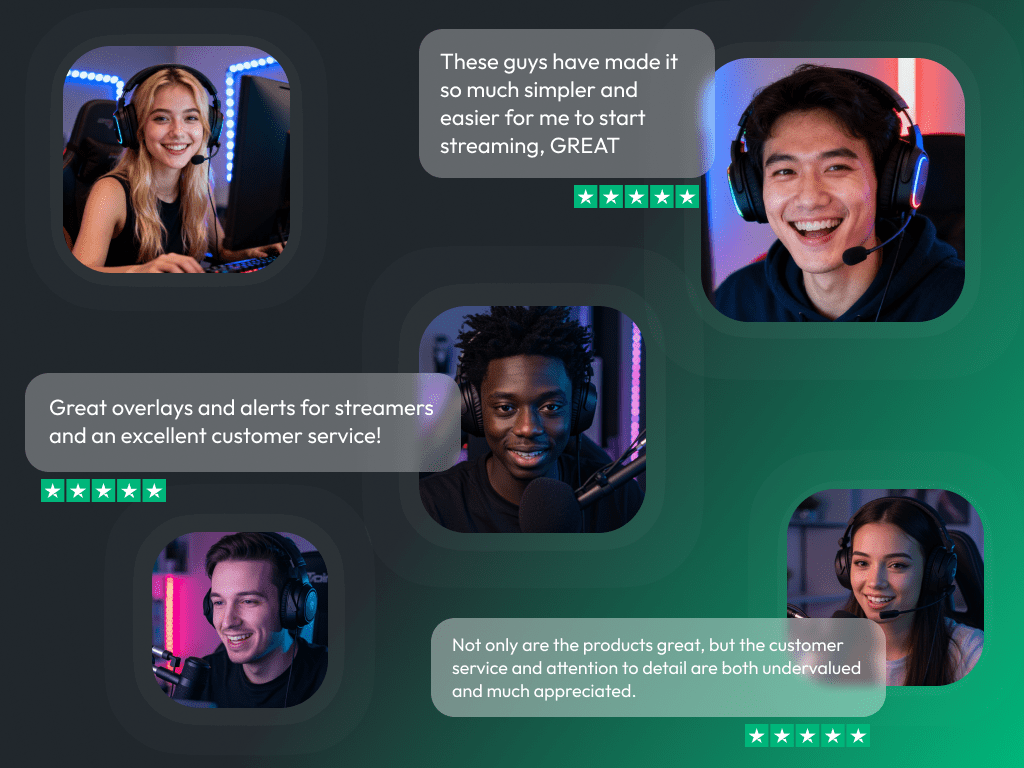
What Happy Customers Say About Our Kick Overlays
See how our Kick overlays make a difference for content creators.
One Pass. Everything Included.
Works with all broadcasting tools
Customize your Kick overlays in the Scene Builder and use them with OBS Studio, Streamlabs, XSplit, or other tools. Everything works smoothly with your setup.
Unlimited* asset downloads
Download emotes, badges, panels, and more static assets. *Our unlimited plan is subject to fair use.
AI-powered creations
Get 50 AI credits with your Stream Pass to generate custom stream widgets, webcam frames, emotes, and more.
Multistreaming ready
Stream on Twitch, YouTube, and Kick with all the tools you need for a consistent and professional livestream.
FAQs About Kick Overlays
What are Kick overlays?
Kick overlays are visual elements that appear on top of your stream. They include designs and widgets, such as Kick chat, webcam frames, game overlays, Kick alerts, and Kick labels that give your stream a structured appearance and help it look more professional.
Where can I find free Kick overlays?
Free Kick overlays are available directly in our store or in the Scene Builder. They’re ready-to-use, customizable, beginner-friendly, and made to help you go live fast with a great-looking stream.
Are the overlays made specifically for Kick?
Yes, all stream overlays for Kick are designed to fit the platform’s layout and format perfectly. They look right and work right out of the box.
How do I set up a Kick overlay in OBS?
Can I personalize my Kick overlays?
Yes, every Kick overlay can be fully customized. You can tweak colors, fonts, labels, and layout directly in the Scene Builder, eliminating the need for design software. You can also add widgets to your Kick stream overlay at any time, including Kick chatbox, alerts, goal bars, interactive widgets, and more to make your Kick overlay truly your own.
Are animated stream overlays available for Kick?
Definitely. You’ll find a wide range of animated Kick overlays that add motion and energy to your stream with zero hassle. In fact, most of our overlay library is animated, giving your Kick stream that extra visual punch that really catches attention.
What’s included in a Kick overlay template?
A typical Kick overlay template includes webcam frames, alert boxes, Kick chat areas, Kick labels, and stream screens, such as “Starting Soon” or “Be Right Back.”
Do Kick overlays support alerts and widgets?
Yes, our Kick overlays are designed to work seamlessly with alerts and stream widgets, ensuring your layout looks clean and interactive from top to bottom.
Are Kick overlays beginner-friendly?
I love a premium Kick overlay, but I don’t want to upgrade to the Stream Pass. What are my options?
Great question! If you’ve found the perfect look and only want to unlock that specific design, you can absolutely do so. Our premium Kick overlays are available as individual purchases. Once you buy and unlock a Kick overlay, you can install it within the Scene Builder on OWN3D Pro and add it to your broadcasting tool as a browser source. Once unlocked, you have unlimited access to use it with your account!
Depending on the overlay pack you choose, various assets, scenes, alerts, and widgets are included. Please note that not every Kick overlay includes the same items. You can install the preview first to see exactly what’s inside.
One quick tip: As a free user, there is normally a limit of 6 installable scenes. However, this limit does not apply to overlays you have purchased! Any overlay pack you buy and unlock can be installed regardless of the standard scene limit. If you have any more questions, feel free to reach out to our support team anytime!