Linkspree
#LinkinBio
Guide Your Community
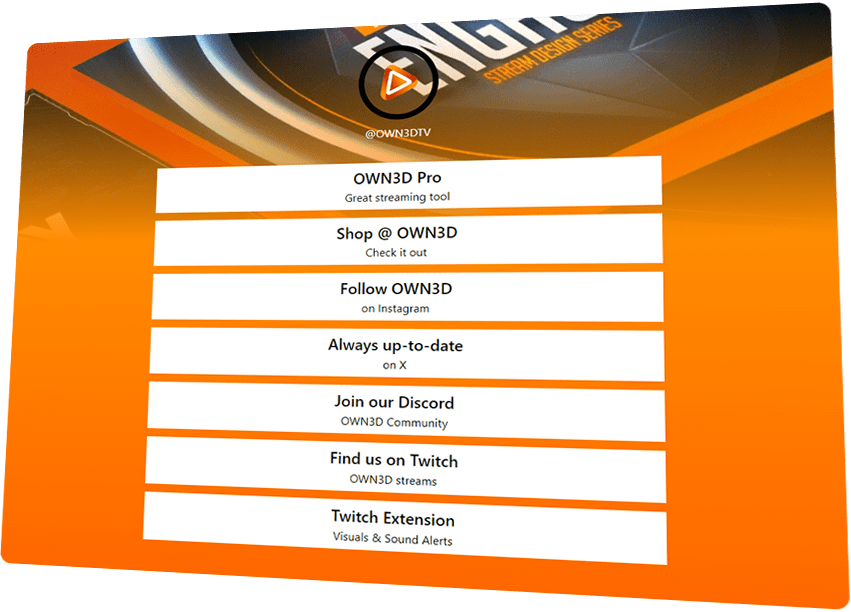
Must-Have Links to Share
You should link your main platforms if you want to grow with your community and keep them entertained beyond Twitch. TikTok videos? Link them. Active Discord server? Guide your fans there. Want support? Add your donation page. Anything that helps you grow belongs in your Linkspree.
No cost, just create and share your link instantly.
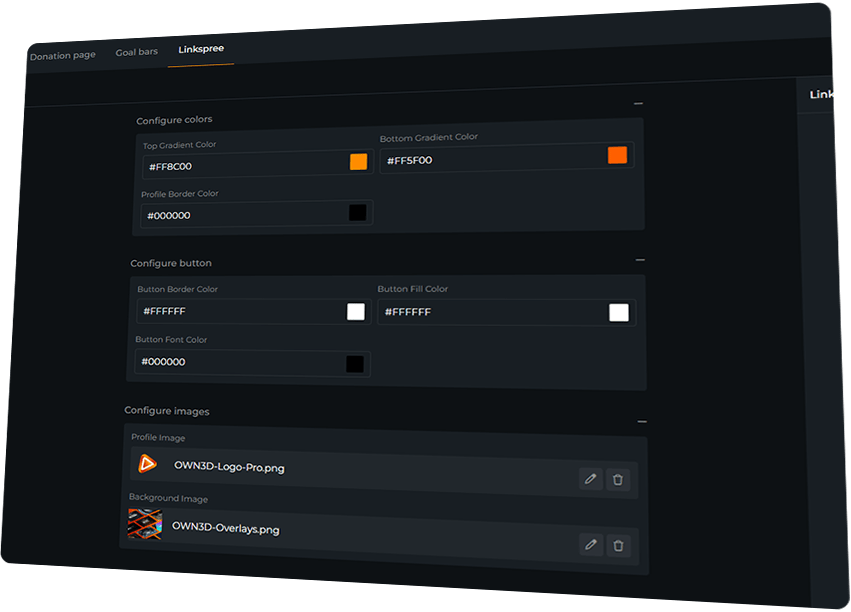
Match colors, images, and buttons to your brand.
Your viewers can open the link on mobile or PC.
Linkspree Features
Frequently Asked Questions
Is Linkspree free to use?
Yes, Linkspree is completely free to use — no Pass required.
Can I use Linkspree on social media?
Absolutely! Add your Linkspree to Instagram, TikTok, YouTube, or any other bio link space.
Can I link it in my Twitch panels or chatbot commands?
Yes. You can easily integrate your Linkspree anywhere your community engages with your content.
Can I update my links after sharing?
Of course! Add, remove, or edit links anytime — your single Linkspree URL always stays the same.
Is it mobile-friendly?
Yes, your Linkspree works on any device, whether desktop or mobile.